Western Union Mobile Top-Up: Stay Connected Abroad
Send prepaid phone credit abroad through Western Union in a few simple steps.
What Western Union Mobile Top-Up Does
Western Union mobile top-up lets you send prepaid phone credit to someone in another country. You can place the order on Western Union’s app or website. The recipient gets credit on their mobile account, rather than cash to collect.
If you are asking, “what is mobile top up in Western Union?”, it is a way to add credit to a supported prepaid phone from afar. You choose the destination, provider, and amount. Western Union says its service reaches more than 150 countries and over 600 mobile networks.
The service is useful when a family member needs phone credit to call, text, or use mobile data. It can save the recipient from finding a local shop or arranging a cash transfer. Check the available amounts and terms for the destination before you pay.
How a Mobile Top-Up Reaches the Phone
You start by choosing a country and entering the recipient’s mobile number. Western Union uses the number and provider details to find a supported network. The available amounts and any service fees can vary by destination.
After you select an amount, review the recipient details and pay using an offered method. The options may include a debit card, credit card, or bank account. What you can use depends on your location and the payment choices shown at checkout.
Once payment is confirmed, the top-up is typically applied instantly. A delay can still happen if the payment needs review, the phone number is wrong, or the mobile provider has a service issue. Keep the confirmation details until the recipient confirms the credit arrived.
- Sender: Selects the country, provider, phone number, and top-up amount.
- Western Union: Takes payment and sends the top-up request to the mobile network.
- Recipient: Receives prepaid credit on the eligible mobile account.
For current country coverage and service terms, check Western Union’s mobile top-up service page. Coverage and features can change. The checkout page is the best place to confirm what is available for a specific number.
How to Send a Western Union Mobile Top-Up
You can send a mobile recharge via Western Union from its app or website. Before you begin, ask the recipient to confirm their mobile number and provider. A small typo can send credit to the wrong account or stop the order from going through.
- Choose the destination. Sign in or open the mobile top-up service. Select the recipient’s country from the list.
- Enter the phone details. Add the recipient’s mobile number, including the country code if requested. Choose the correct mobile provider when prompted.
- Pick an amount. Review the available top-up values and select one. Check whether the credit is for calls, texts, data, or a mix of services.
- Review the order. Check the number, provider, amount, fees, and total cost. Correct any detail before you move to payment.
- Pay and save the receipt. Use one of the payment methods offered at checkout. Keep the confirmation until the recipient sees the credit.
Do not rely on a saved number without checking it. If the app or site fills in a provider automatically, confirm that it matches the recipient’s current service. Some countries have number portability, so a number may not always reveal its provider.
Check the final amount in the recipient’s local currency when it is shown. Your card issuer or bank may apply its own exchange rate or fee. Western Union’s displayed total may not include charges set by your bank.
Why Send Prepaid Credit This Way?
A top-up can help loved ones stay connected when they live abroad. They can use the credit for calls, texts, or mobile data, based on their plan. It is a direct way to help without asking them to collect cash first.
In some destinations, local prepaid credit costs less than similar phone use in the United States. Rates and plans differ by country and provider, so there is no single savings figure. Compare the amount received with the full cost shown before you send.
The digital process can also be handy when a local shop is closed or far away. You can make the request from a phone or computer, then share the confirmation with the recipient. Many supported networks apply the credit soon after payment clears.
It is still worth checking the details. The recipient may have a plan that needs a specific top-up type, or their account may not accept every amount. Ask what they need before choosing a value.

Countries, Providers, and Coverage
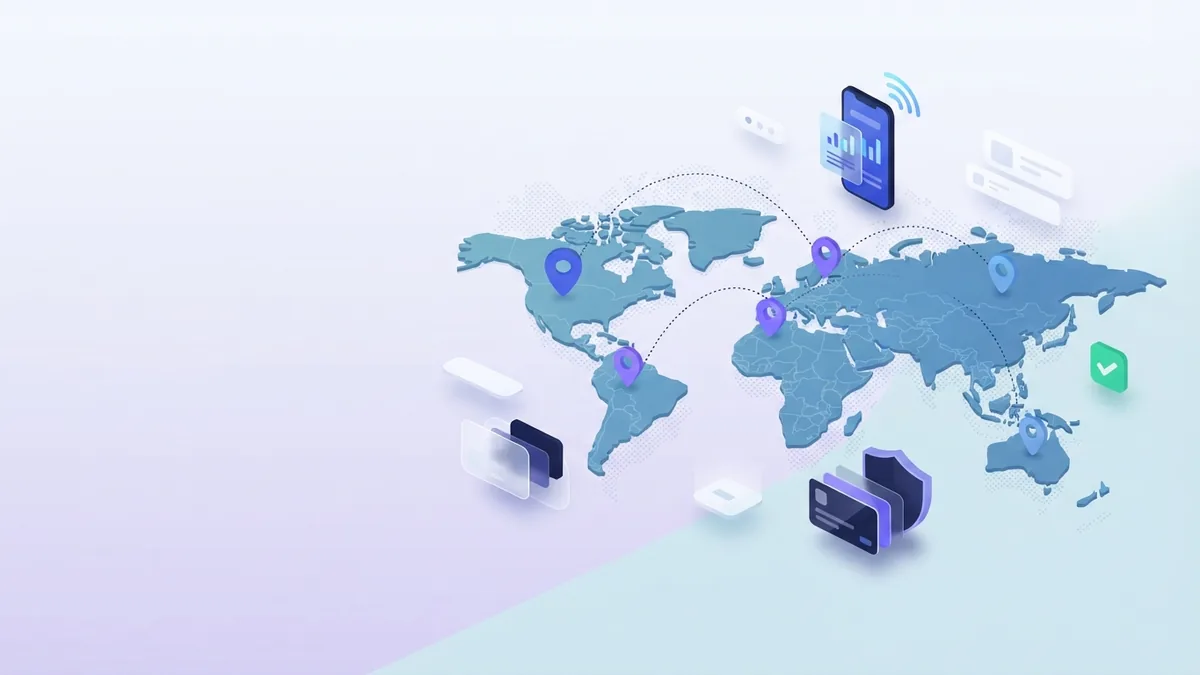
Western Union lists mobile top-up service in more than 150 countries, with access to over 600 mobile networks. This broad reach can support international mobile recharge across many regions. It does not mean every provider or phone plan is available in every country.
Available operators depend on the destination you select. The app or website shows supported providers and top-up amounts for that market. Use those choices to confirm that the recipient’s network is covered before making payment.
For example, a sender in the United States might select a recipient’s country, then choose the mobile provider shown for that country. The exact provider names and amounts vary. Check the current list rather than assuming a network is supported because it serves that region.
Phone type and account status matter, too. These services are meant for eligible mobile accounts, often prepaid accounts. If the number is inactive, postpaid, or tied to a plan that does not accept top-ups, the credit may not work as expected.
- Confirm the recipient’s country and full mobile number.
- Ask which provider serves the number now.
- Check that the provider appears in Western Union’s options.
- Review the amount and credit type before paying.
Common Questions About Mobile Top-Up
What is mobile top up in Western Union?
It is a service for sending prepaid mobile credit through Western Union’s app or website. You choose a country, number, provider, and amount, then pay online.
How long does a Western Union top-up take?
Credit is typically applied instantly after payment confirmation. A payment review, incorrect number, or provider delay can make it take longer.
What details do I need to send a top-up?
You need the recipient’s country, mobile number, and provider. You also need a payment method accepted at checkout.
Can I pay for a top-up with a bank account?
Bank account payment may be offered, alongside debit and credit cards. Payment choices depend on your location and the order details.
Does Western Union cover every mobile provider?
No. Western Union reports coverage across over 600 networks, but availability varies by country. Check the provider list shown for the recipient’s destination.
What should I do if the credit does not arrive?
First, check the order status and confirm the number and provider. If the order shows as complete but credit is missing, contact Western Union support and the mobile provider with your receipt details.
Step by step
- 1Choose the destination
Open the mobile top-up service on the app or website. Select the recipient’s country.
- 2Enter the phone details
Add the recipient’s mobile number and select the correct provider when prompted.
- 3Pick an amount
Choose an available value and check what kind of phone credit it covers.
- 4Review the order
Check the number, provider, amount, fees, and total before payment.
- 5Pay and save the receipt
Pay with an offered method and keep the confirmation until the recipient sees the credit.
FAQ
- What is mobile top up in Western Union?
- It is a service for sending prepaid mobile credit through Western Union’s app or website. Choose a country, number, provider, and amount, then pay online.
- How long does a Western Union mobile top-up take?
- Credit is typically applied instantly after payment confirmation. A review, wrong number, or provider delay can make it take longer.
- What details do I need to send a mobile top-up?
- You need the recipient’s country, mobile number, and provider. You also need a payment method accepted at checkout.
- Can I pay for Western Union mobile top-up with a bank account?
- A bank account may be offered, along with debit and credit cards. Available payment choices depend on your location and order.
- Does Western Union support every mobile provider?
- No. Coverage spans over 600 networks, but availability varies by country. Check the provider list for the recipient’s destination.
- What should I do if the mobile credit does not arrive?
- Check the order status and confirm the number and provider. If the order is complete but credit is missing, contact Western Union and the mobile provider.